
 Log In
LeadTruffle Insights
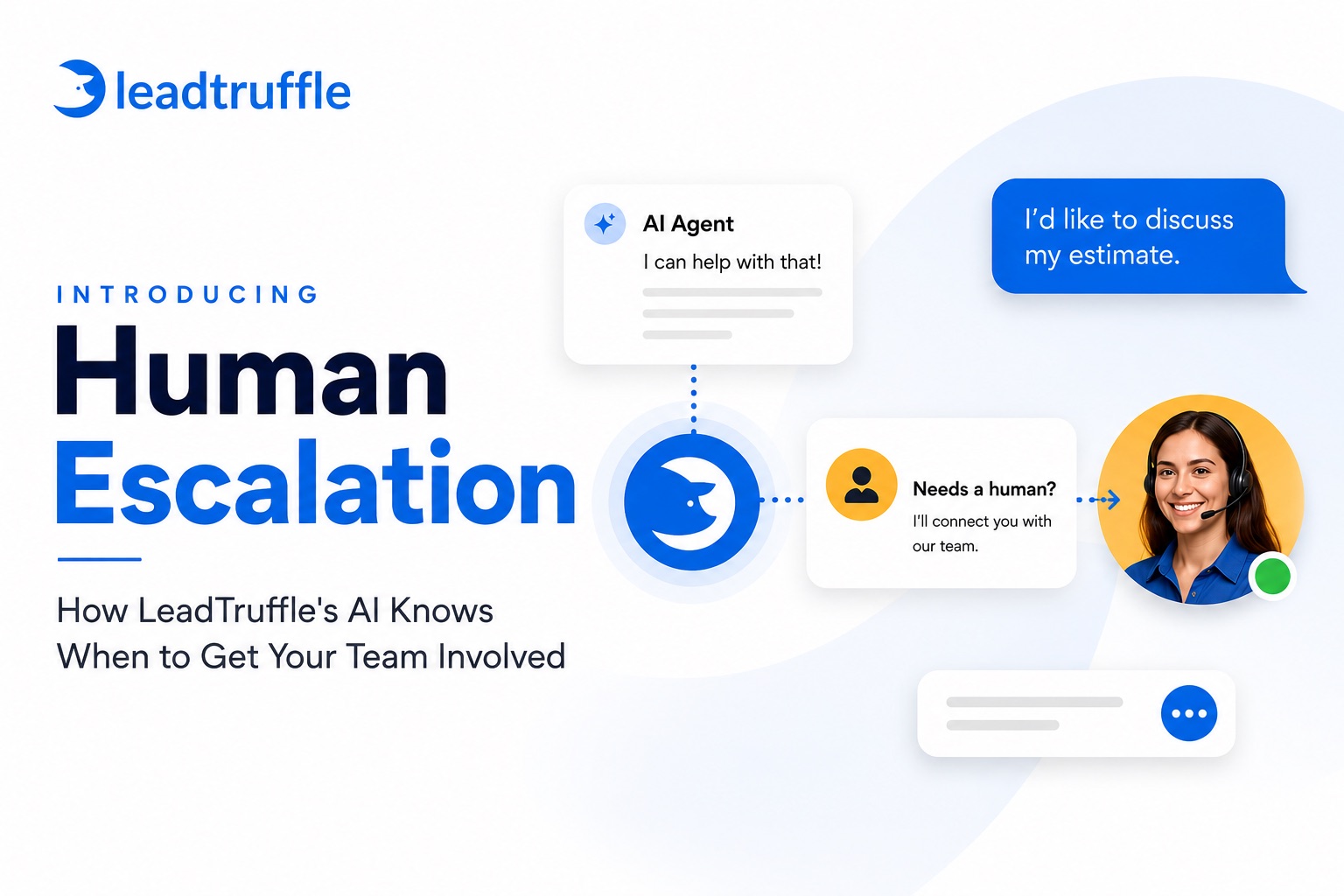
Introducing Human Escalation: How LeadTruffle's AI Knows When to Get Your Team Involved
LeadTruffle's new Human Escalation feature pauses AI automation and alerts your team the moment a lead needs a real person. Here's how it works.
Quick Answer
tl;dr: Human Escalation is a new LeadTruffle feature that recognizes when a conversation needs a real person, not the AI. When it triggers, LeadTruffle pauses AI replies and booking for that conversation, can send the customer a short acknowledgement, alerts your team, and keeps the conversation visible in an escalation queue until someone resolves it. It works across texting, webchat, email, Yelp, Thumbtack, Google LSA, and Meta Messenger, plus after a completed AI Voice call. It is off by default until you turn it on and save your settings.
An AI that qualifies and books lead inquiries 24/7 is a big win. But not every conversation should end with a booked job handled entirely by AI. Some need your team, and they need them fast.
A customer with active water damage doesn’t want a booking link. They want to know someone is coming.
A customer asking about a warranty issue on work you did last year isn’t a new lead inquiry. They’re a relationship you need to protect.
A customer who flat out asks for a manager doesn’t want to keep talking to a bot, no matter how good the bot is.
An AI that tries to handle every one of these on its own, or that quietly mishandles them, can cost you more than the lead inquiries it saves you. And an AI that transfers everything to a human the moment things get slightly complicated puts you right back to fielding every call yourself, which defeats the point of using AI at all.
Today, we’re introducing Human Escalation, LeadTruffle’s automatic AI-to-human handoff system.
What Is Human Escalation?
Human Escalation is a built-in system that evaluates each customer message against your company’s saved escalation policy. When a conversation matches, LeadTruffle pauses AI automation for that specific conversation, optionally sends the customer a brief acknowledgement, and puts the conversation in front of your team so a person can take over.
It is not a keyword filter that panics the moment someone types “help.” The decision is model-based and contextual. It looks at the conversation history and your company’s own criteria, not just a single word in a single message.
Once it triggers, Human Escalation is the final word on that AI turn. It overrides normal AI lead qualification, booking, and any other automated action, so your AI won’t keep trying to book an appointment while your team is trying to sort out a complaint.
What Happens When It Triggers
Here’s the sequence, start to finish:
- The AI evaluates the message. Every customer turn gets checked against your saved escalation instructions and sensitivity level.
- LeadTruffle records the decision. The reason, how confident the AI was, and which of your criteria matched are all logged.
- Manual takeover turns on. Normal AI replies stop. Automated booking and follow-ups stop. Your team can still reply manually at any time.
- The customer optionally gets a heads-up. If you’ve enabled a final acknowledgement, LeadTruffle sends it before going quiet. The default message is simple: “Thanks for the details. A team member will review this and follow up shortly.”
- Your team gets alerted. A Human Escalation Required notification goes out, and the conversation shows up in your escalation queue.
- It stays visible until it’s resolved. The conversation timeline records both the trigger and, later, how it was resolved, so there’s a clear record of what happened and when.
The business still owns the actual response. Human Escalation identifies the moment and organizes the handoff. It doesn’t promise a reply within a specific window, and it isn’t a substitute for your team actually following up.
When It Should (and Shouldn’t) Trigger
Human Escalation is built around a common set of situations most home service businesses want a person to own, and you can adjust exactly which ones apply to your business:
- The customer asks for a human, an owner, a manager, a callback, or a phone call.
- There’s a complaint or an issue with a crew or prior work.
- There’s an emergency, safety risk, or active damage.
- It’s a warranty question or a completed-job issue.
- There’s a scheduling dispute with an existing customer.
- The customer asks for price negotiation, a discount, financing, insurance, or an exception to your normal pricing.
- The request is for a commercial, complex, or custom quote.
- The customer asks for work outside your listed services or service area.
- There’s abuse or threats.
- Your business has custom criteria specific to its needs.
It’s just as important to know what it should leave alone. Human Escalation isn’t meant to interrupt normal qualification, routine scheduling, a customer who hasn’t left their phone number yet, or an ordinary question about a service you already list. Those are exactly the conversations your AI should keep handling.
How Sensitive Should It Be?
You control how easily Human Escalation triggers, with three levels:
- Low (the recommended starting point): Clear requests for a person, obvious complaints or safety risks, unlisted services, abuse or threats, and anything that exactly matches your own custom criteria.
- Moderate: Everything in Low, plus concrete warranty and prior-work issues, pricing exceptions, insurance questions, commercial or complex quotes, account issues, and other operational edge cases.
- High: Everything in Moderate, plus earlier escalation for situations that are plausible but genuinely ambiguous and probably deserve a second look from your team.
The tradeoff is straightforward. Turn sensitivity up and more conversations pause for a person, which is safer for tricky situations but slows down speed to lead if it fires too often. Turn it down and your AI keeps more conversations moving on its own. Low is the right place to start for most businesses; you can always move up once you’ve seen how it performs on real conversations.
Every Channel, Not Just the Phone
A lot of AI-to-human handoff advice is written for phone systems: warm transfers, cold transfers, and who picks up the live call. That’s a real and useful problem to solve, but it’s only part of the picture for a business that talks to lead inquiries over text, webchat, email, and marketplace apps just as often as the phone.
Human Escalation covers the full set of channels LeadTruffle supports: website texting and standard SMS, webchat, missed-call text-back, email qualification, Yelp, Thumbtack, Google LSA, Meta Messenger, and custom lead SMS.
AI Voice and Smart Call Router are handled a little differently, since a live phone call is happening in real time. For those, Human Escalation mainly works through post-call analysis or a later SMS follow-up. It doesn’t change what your AI voice agent says or does mid-call, and a post-call escalation doesn’t send the customer an acknowledgement message, since the call has already ended.
Your Team’s Side: The Escalation Queue
When something escalates, it doesn’t just disappear into an inbox. Your dashboard shows an amber “Human Escalations need review” card with a live count, and every open item lives in a dedicated queue.
Open a conversation with a live escalation and you’ll see the reason it triggered, when it opened, and a clear “AI is off” indicator so nobody accidentally assumes the bot is still handling it. Your team can also rate whether the escalation call was correct, which helps you fine-tune your settings over time.
From there, resolving an escalation is one of three actions:
- Resume AI: Closes the escalation and turns automation back on for that conversation.
- Keep AI Off: Closes the escalation but leaves manual takeover in place, for when you want to keep handling the conversation yourself.
- Dismiss: Closes the escalation without turning AI back on.
A plain reply sent from inside LeadTruffle also resolves the open escalation automatically. One thing worth knowing: if someone on your team replies from outside LeadTruffle, like a personal cell phone or directly inside Yelp or Thumbtack, LeadTruffle may not detect that reply, so you may need to resolve the escalation manually.
Staying on Top of It: Notifications and Reminders
An escalation that nobody sees isn’t much better than no escalation system at all, so Human Escalation is built to keep nudging until someone acts.
You’ll need at least one team member subscribed to the Human Escalation Required notification for alerts to actually go out. The queue itself stays visible either way. Once it’s set up, the current system sends both an email and, for the initial alert, an SMS text to your verified, subscribed phone numbers.
If nobody resolves the escalation right away, LeadTruffle keeps reminding your team: a first reminder after 2 hours, then every 24 hours after that, up to three alerts total. If it still hasn’t been touched after that, it’s marked stale so you can see at a glance which conversations have gone unanswered too long. Resolving the escalation, at any point, cancels any reminders still pending.
Turning It On
Human Escalation is generally available, but it’s off by default. An authorized user on your account needs to turn it on and save it before it starts running.
You’ll find the settings under Settings → Company AI Knowledge → Human Escalation. It’s also part of onboarding for new accounts. From there, you can set your sensitivity level, write free-text instructions for when your business wants a handoff, add example scenarios, and customize or disable the customer acknowledgement message.
You can also choose Turn on Human Escalation only during business hours. With this option enabled, the AI keeps handling conversations outside your configured business hours. If business hours are disabled, Human Escalation remains available at all times. Review your business-hours settings before enabling this option.
Before it goes live, there’s a safe way to check your setup: a built-in test that uses your current settings, including anything you haven’t saved yet. It won’t create a real lead, message a real customer, or alert your team. It’s just a preview so you can confirm your sensitivity and instructions are catching what you actually want caught before you save and turn it on for real.
Why We Built It
The honest tension with any AI answering tool is that “handle everything automatically” and “never miss the moment a person is actually needed” pull in opposite directions. Some tools lean hard into full automation and treat a human handoff as something to avoid entirely. Others solve it by routing far too much to a live person, which quietly turns an AI tool back into a full-time phone-answering job.
We think the better answer is an AI that handles the lead inquiries it can handle end to end and knows, clearly and consistently, exactly when it shouldn’t try. That’s the whole idea behind Human Escalation: keep your AI moving fast on the conversations it’s good at, and hand the rest to your team with enough context and urgency that nothing important sits unanswered.
For help reviewing your account setup or other AI configuration, meet LeadTruffle Assistant, our in-app account assistant.
Available Now
Human Escalation is live in your LeadTruffle dashboard today. Head to Settings → Company AI Knowledge → Human Escalation to review the default instructions, pick a sensitivity level, and run a safe test before you turn it on.
If you’re not on LeadTruffle yet and want to see how the platform captures, qualifies, and knows when to bring in a real person, schedule a demo.
FAQs
What is Human Escalation in LeadTruffle?
Human Escalation is a LeadTruffle feature that automatically recognizes when a customer conversation needs a person instead of AI. It pauses automation for that conversation, can send a short acknowledgement, and alerts your team through a dedicated escalation queue.
When should AI hand off a conversation to a human?
Generally, when a customer asks for a person directly, when there’s an emergency or safety risk, when it’s a complaint or a warranty issue, or when pricing needs a judgment call the AI shouldn’t make on its own. Routine scheduling and ordinary service questions should stay with the AI.
Does escalating to a human slow down the customer's response?
The AI stops replying automatically once it escalates, so the next step depends on your team. If you’ve enabled the acknowledgement message, the customer gets an immediate note that someone will follow up rather than silence.
What happens if nobody responds to an escalated conversation?
LeadTruffle keeps reminding your team: a reminder after 2 hours, then every 24 hours, up to three alerts. After that, the escalation is marked stale so it’s easy to spot conversations that have gone too long without a reply.
Can I control how easily the AI escalates?
Yes. You choose a sensitivity level of Low, Moderate, or High, and you can write your own free-text instructions and examples for what your specific business wants escalated.
Does Human Escalation work for phone calls, or just texting?
It covers texting, webchat, email, Yelp, Thumbtack, Google LSA, and Meta Messenger directly. For AI Voice and Smart Call Router, it works through post-call analysis or a later SMS conversation rather than changing what happens live on the call.
Is Human Escalation turned on by default?
No. It’s off until an authorized user on your account turns it on, configures it, and saves the settings.
Isn't it simpler to just transfer everything to a person?
It’s simpler, but it usually backfires. Routing every conversation to a live person turns an AI tool back into a full-time answering job and slows down the lead inquiries that didn’t need a person at all. Human Escalation is built to send you the conversations that genuinely need you and let the AI keep handling the rest.