 Log In
 Thumbtack
 Thumbtack Integration
Win More Jobs From Thumbtack
LeadTruffle helps home service teams respond to Thumbtack leads instantly, keep every conversation moving, and turn more high-intent inquiries into booked jobs.
- Instant in-app Thumbtack messaging so every new lead gets a fast response before your competitors reach them
- Layer SMS and phone follow-up on top when the lead shares a number, giving you more chances to connect
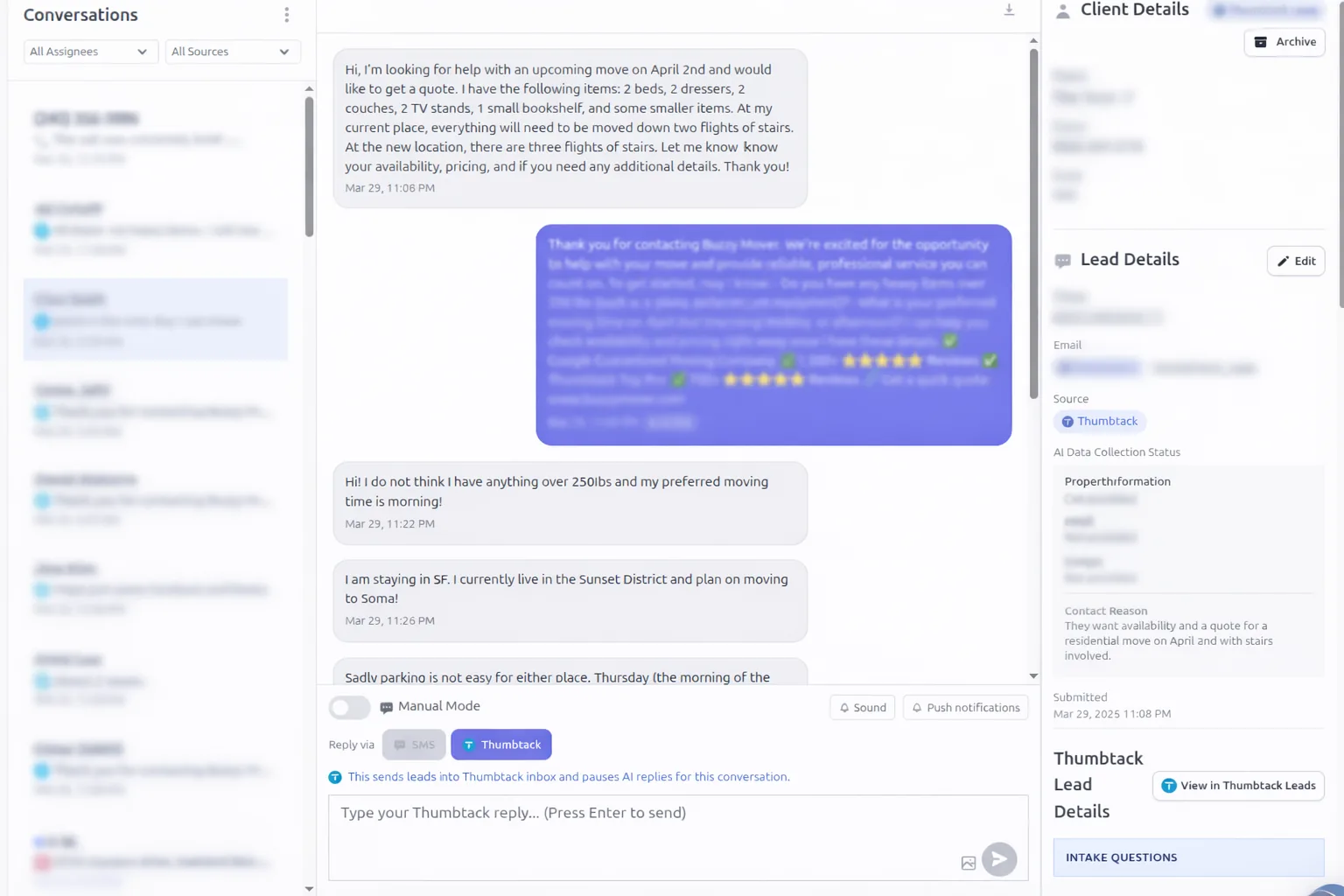
- Keep every Thumbtack conversation in one inbox with photos, replies, status, and customer details all in one workflow
- Automatically qualify and follow up with leads so your team can focus on the opportunities most likely to book
- Sync lead activity into your CRM so you can track which Thumbtack leads turn into real revenue
Need the simpler instant-reply use case? Visit Thumbtack autoresponder.
Quick Answer
tl;dr: LeadTruffle's Thumbtack integration does more than auto-reply. You can connect multiple Thumbtack businesses, selectively enable or disable them, import older conversations, capture customer email so you can continue the conversation over email, run AI email campaigns, and log the whole lead journey into your CRM for conversion tracking.
Video Tutorial
Watch the Thumbtack walkthrough
If you want to see the setup and workflow in action, this tutorial walks through how the Thumbtack integration fits into LeadTruffle and how teams can manage conversations, automation, and handoffs.
Why This Page Exists
A fuller Thumbtack setup than a simple first-response tool
Beyond reply speed, this covers installation, control, channel expansion, and reporting after the lead enters your system.
Optional SMS Follow-Up
Continue eligible Thumbtack inquiries by SMS alongside platform replies. Choose a starting delay, SMS agent, and additional send rules. Messages respect texting hours and are checked again before sending.
Installation + Connection Health
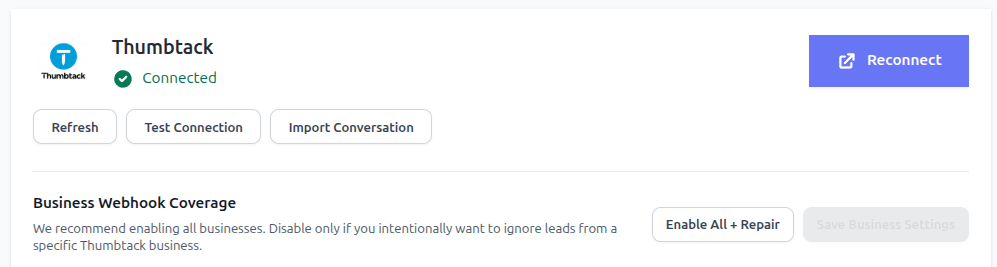
Connect Thumbtack directly, test the connection, repair webhook coverage, and confirm which businesses should be active before you turn automation loose.
Multiple Businesses + Imports
LeadTruffle can connect multiple Thumbtack businesses under one account. You can enable all of them, disable specific ones, and import older conversations for context.
Email + CRM Expansion
Once email is captured, your team can continue the conversation outside Thumbtack, run AI email follow-up campaigns, and log outcomes back into your CRM.
Installation
How to install the Thumbtack integration
Setup is built around real operating controls, not just a one-click promise. You can verify the connection, repair coverage, choose which businesses are active, and import the history you want your reps and automations to see.
1. Connect your Thumbtack account
Authorize once, then use the built-in connection health tools to refresh, test the connection, or reconnect if Thumbtack needs to be reauthorized.
2. Choose business coverage
If you manage multiple Thumbtack businesses, you can enable all of them or selectively disable the ones you do not want routed into LeadTruffle.
3. Import older conversations
Bring prior Thumbtack threads into the inbox so reps have context, reporting starts with more history, and old opportunities can be reworked.
4. Turn on routing + automation
Decide which businesses should use AI, where leads should be assigned, when humans should take over, and which downstream CRM or email workflows should fire.
After The First Reply
How the workflow expands once the lead is in LeadTruffle
Thumbtack may be where the lead starts, but it does not have to be where the relationship stays. Once the right contact details are captured, you can move into longer-term follow-up and reporting without losing the original source context.
Reply inside Thumbtack first
New Thumbtack leads land in LeadTruffle with request details, source attribution, and conversation history so the first response happens fast and with context.
Capture email and richer contact data
Once the customer shares an email address, LeadTruffle keeps it attached to the lead record so your team is not trapped inside a single marketplace thread.
Continue the conversation over email
After email is captured, your team or AI can start an email conversation for estimates, scheduling details, reminders, and longer follow-up while keeping the Thumbtack source tied to the same lead.
Launch AI email campaigns when needed
If a lead goes quiet or is not ready to book yet, you can use AI email campaigns to nurture, reactivate, or follow up on imported historical conversations.
Operating Controls
What teams can control day to day
Your team gets operational controls for businesses, history, inbox handling, and channel handoff.
Manual takeover anytime
Your team can jump into any Thumbtack conversation, pause AI, and respond with the full transcript and lead details visible.
Business-level enable/disable controls
Not every Thumbtack business needs the same setup. Enable only the businesses you want to automate and leave the others disconnected from workflow rules.
Imported history for better context
Imported conversations help sales reps understand what was already discussed and give your reporting a clearer view of older opportunities.
Unified inbox across channels
Thumbtack sits beside website leads, missed calls, Yelp, Angi, and other sources so your team works one queue instead of jumping between apps.
CRM + Attribution
Track what actually converts after Thumbtack
The goal is not just to answer faster. It is to understand which Thumbtack businesses, which conversations, and which follow-up channels lead to booked work. That means keeping the data attached all the way into your CRM and workflow stages.
LeadTruffle can push Thumbtack leads, transcript context, captured contact data, and stage updates into tools like Jobber, Housecall Pro, ServiceTitan, HubSpot, and Workiz so your team can keep selling and reporting from the CRM they already use.



Track source and business
Store that the lead came from Thumbtack and which Thumbtack business generated it, so location and business-unit reporting stays clean.
Keep transcript + qualification data
Push the conversation, service request notes, contact details, and qualification answers into your CRM so the next rep does not start from scratch.
Log email follow-up outcomes
When the conversation moves to email, campaign activity and follow-up touches can stay tied to the same record instead of becoming a separate silo.
Measure conversion to booked work
Move leads through stages like new, quoted, booked, and won so you can see which Thumbtack businesses and which follow-up paths actually turn into revenue.
Need the email side of this workflow? Explore AI email campaigns and integrations.
FAQ
Thumbtack Integration FAQ
Can LeadTruffle follow up with Thumbtack leads by SMS?
Yes, when SMS follow-up is enabled with an active 10DLC sender, consent, and an eligible phone number. You can set a delay and additional send rules. LeadTruffle checks the current conversation before sending and can send, skip, or delay the message. Opt-outs and human takeover stop automated sends. Using a Thumbtack-provided number requires the supported setup and consent confirmation.
How do I install and verify the Thumbtack integration?
You connect your Thumbtack account inside LeadTruffle, then use the built-in connection health tools to test the integration, confirm webhook coverage, and reconnect if Thumbtack ever needs reauthorization.
Can I connect multiple Thumbtack businesses?
Yes. LeadTruffle can connect multiple Thumbtack businesses under one account and lets you decide which businesses should be enabled or disabled for automation.
Can I import old Thumbtack conversations?
Yes. You can import older conversations so your team has full history, can resume follow-up, and can use those records in reporting and reactivation workflows.
Can I choose which Thumbtack businesses push into my CRM?
Yes. You can enable or disable specific Thumbtack businesses and control which ones should flow into CRM sync, AI handling, and downstream follow-up workflows.
What data gets pushed from Thumbtack into Jobber, Housecall Pro, ServiceTitan, HubSpot, or Workiz?
LeadTruffle can push source attribution, the Thumbtack business, customer contact details, conversation transcript context, qualification notes, and stage updates so your team can keep working the lead inside the CRM.
Can a Thumbtack lead stay attributed to Thumbtack after the conversation moves to email?
Yes. When a customer email is captured, the lead can move into email follow-up while still keeping Thumbtack as the original source, so attribution and conversion reporting do not break when the conversation changes channels.
Can I run AI email campaigns for Thumbtack leads?
Yes. Thumbtack leads can move into AI email campaigns for nurture, reactivation, quote follow-up, and longer sales cycles once you have the right contact information and workflow rules in place.
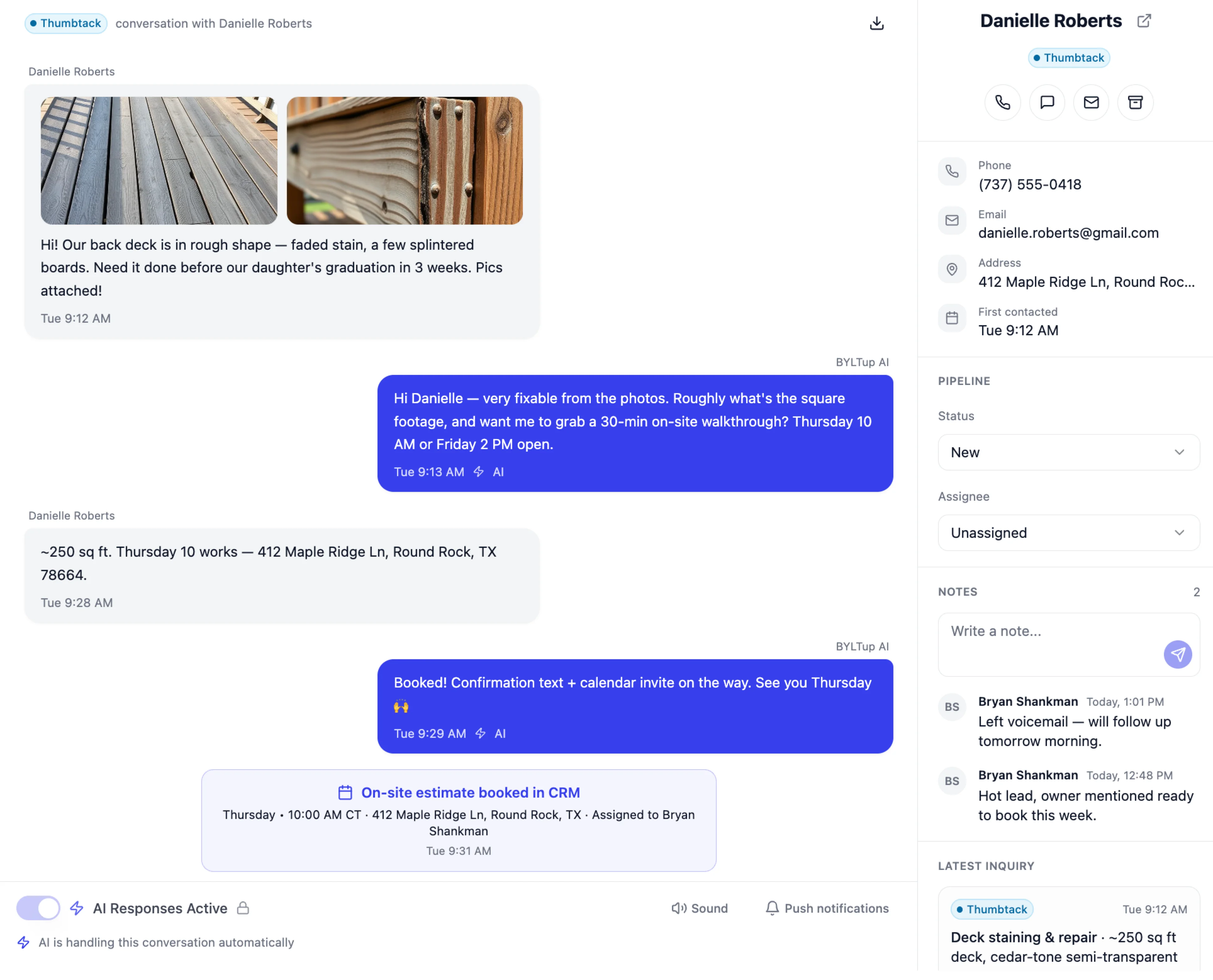
Does the Thumbtack integration handle images?
Yes. LeadTruffle can handle Thumbtack conversations that include images, so your team still gets the conversation context and can continue working the lead without losing that part of the thread.
Do imported conversations trigger automations or stay as historical context only?
That depends on how you configure the workflow. Imported conversations can give your team historical context only, or they can be used for reactivation and follow-up sequences when you intentionally want to work older opportunities.
Want to connect Thumbtack without keeping it siloed?
We can help you connect multiple businesses, import history, move qualified leads into email follow-up, and log the whole journey into your CRM.