



 Log In
Lead routing for multiple locationsOne website.
The right
local team.
Turn a customer’s ZIP code into a clear next step. Route website inquiries to the right location, with your service areas and local teams in mind.
Quick Answer
tl;dr: LeadTruffle’s routing widget asks for a ZIP code, matches it against your territory rules, and directs the inquiry to the selected company. Franchises and multi-location businesses can share one website while keeping local conversations with the right team.
A shorter path to the right inbox
Let the address do the sorting.
Customers should not have to know which branch serves their neighborhood. Your routing rules handle that first step.
“What’s your ZIP code?”
The routing widget starts with location. A homeowner enters their ZIP code on your main website.
Find the service area.
LeadTruffle checks your configured ZIP code and radius rules to select the company that should receive the inquiry.
Make it a local conversation.
The selected company’s AI instructions guide qualification, and its team receives the inquiry with the conversation details.
Territories that reflect your business
Your coverage.
Your routing rules.
Service areas do not always fit neatly inside city boundaries. Define coverage using ZIP codes and radius areas, then use priorities where territories overlap.
- Keep each location’s rules localSet up companies with their own services and AI instructions.
- Handle overlapping coverageUse rule priorities to express which matching location should take precedence.
- Check the edges before launchTest nearby ZIP codes, overlapping areas, and places outside your coverage.
A shared front door.
Distinct service areas.
Enters a ZIP
Choose a location
Gets the inquiry
Illustrative locations and rule types.
From setup to your site
Build your map.
Then test the journey.
Configure routing in the agency portal and install the routing widget on the website your locations share.
Open the agency portal ↗Add your locations
Create your agency account, add your companies, and enable franchise mode.
Define coverage and appearance
Map ZIP codes and radius areas to companies. Choose the default company whose widget settings supply the shared appearance.
Install and test
Add the routing widget to your main site. Try representative ZIP codes and confirm each inquiry reaches the intended company.
See the setup screens

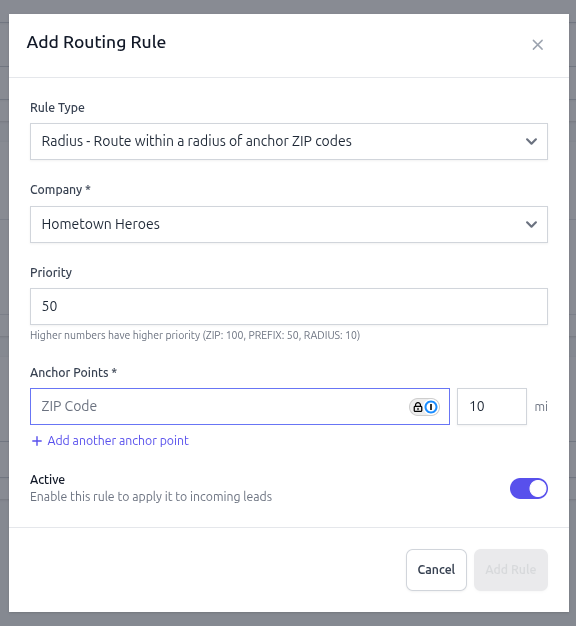
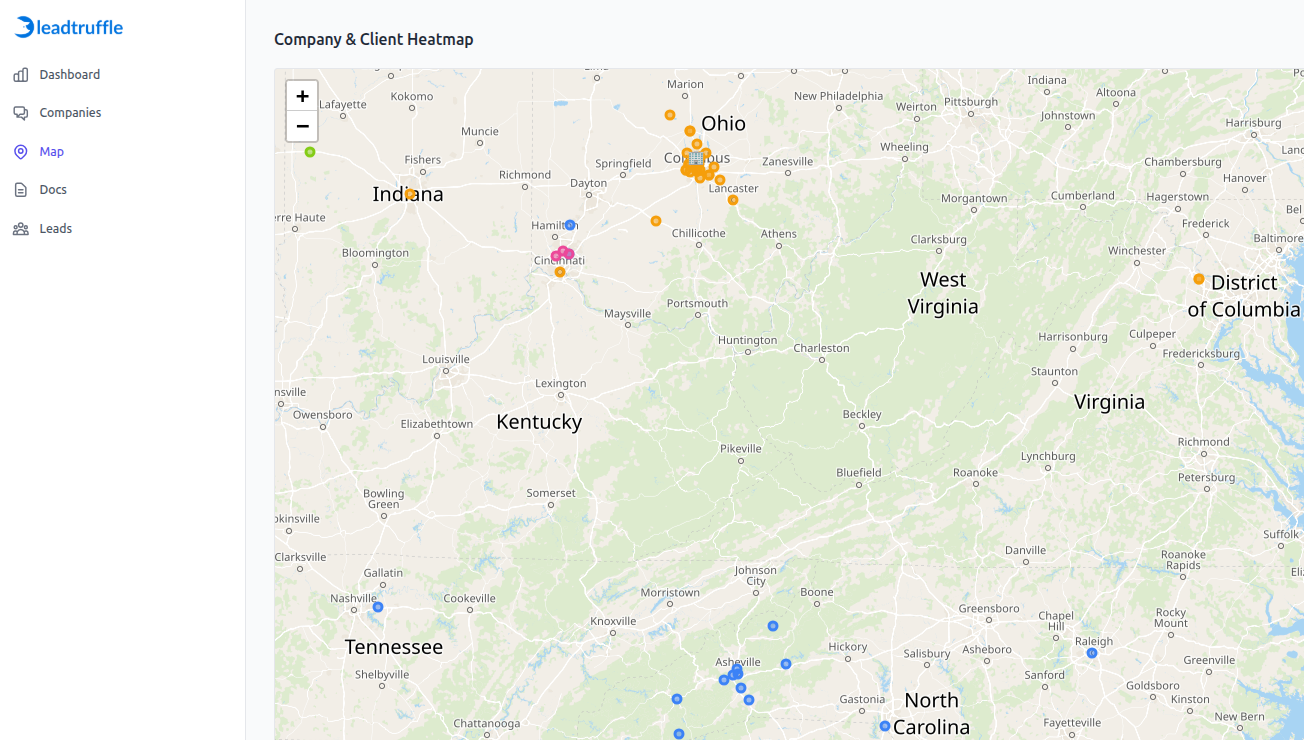
Shared brand. Local ownership.
Built for businesses
with more than one front door.
Franchise networks, growing home service companies, and agencies can give customers one place to start while keeping each location’s work organized.
For the local team
Receive inquiries in the selected company, with its own qualification instructions and the context from the customer conversation.
For the people overseeing it all
Manage location coverage and review leads across companies from the agency portal. Keep the intake experience consistent as your network grows.
A few useful details
Questions, answered.
A few details about territories, shared intake, and getting inquiries to a local team.
What is lead routing for multi-location businesses?
Lead routing automatically assigns incoming leads to the right location or team based on territory rules like zip code, radius, or service area.
Can lead routing work for franchises and agencies?
Yes. LeadTruffle supports franchise and agency setups so multiple locations can share one intake flow while receiving location-specific leads.
How fast does route assignment happen?
The routing widget checks the ZIP code during intake and selects a location using your configured rules. Test representative ZIP codes before publishing your widget.
Does lead routing help speed to lead?
Routing removes a manual sorting step by sending website inquiries to the location selected by your territory rules. Your team can then respond from the right company inbox.
Built for home service teams
Give every location a clearer path to new leads.
See how LeadTruffle fits your business, your team, and the way your customers reach you.
Book a demo