 Log In
Angi Autoresponder
Auto-follow up on Angi leads in seconds
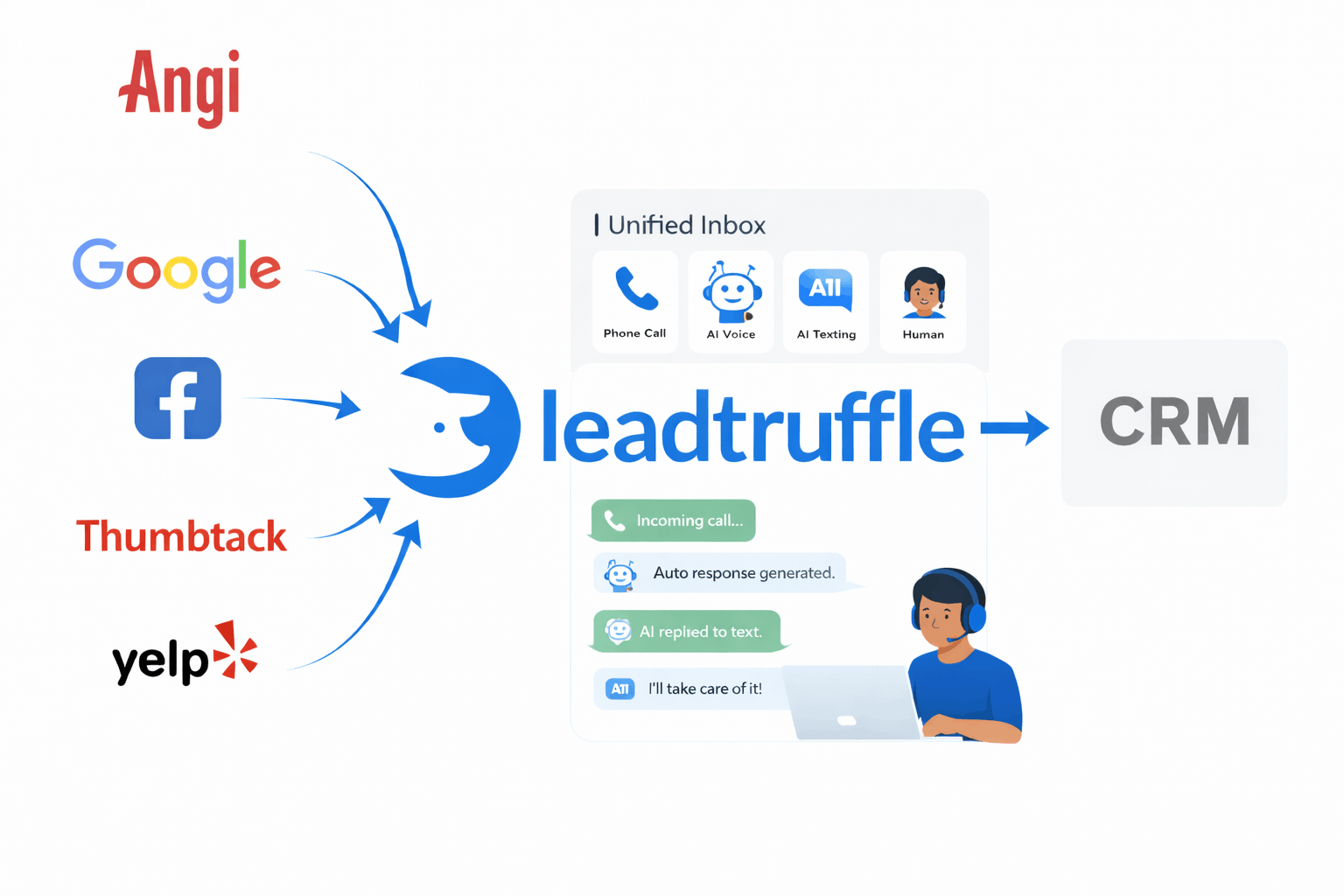
LeadTruffle ingests Angi and HomeAdvisor leads via webhook, then follows up by SMS or email while keeping every conversation in your unified inbox.
- Webhook-based Angi lead ingestion
- AI follow-up via SMS or email with manual takeover
- Unified inbox with Thumbtack, Yelp, LSA, website, and calls
- Scheduled follow-ups keep Angi leads warm
- Workflow board to track lead status
Quick Answer
tl;dr: LeadTruffle auto-follows up on Angi leads via webhook, qualifies them by SMS or email, and keeps the full conversation in one inbox. You can take over replies any time, sync qualified leads to your CRM, and schedule follow-ups to keep leads warm.
How the Angi autoresponder works
1. Connect Angi
Share your LeadTruffle webhook URL with Angi to start receiving leads.
2. Auto-follow up
AI responds by SMS or email and keeps the thread in your inbox.
3. Sync to CRM
Qualified leads are pushed to your CRM with conversation context.
Unified inbox + workflow board
Angi conversations live next to website leads, missed calls, Thumbtack, Yelp, and Google LSA. Assign, reply, and move every lead through your workflow.
CRM push with full context
Sync to Jobber, Housecall Pro, HubSpot, Workiz, and more. Every lead arrives with notes, qualification details, and a link to the conversation.
Human takeover and consent controls
Pause AI on any conversation and reply manually. Angi SMS follow-up respects consent and your configured compliance settings.
Angi Autoresponder FAQ
Quick answers to common questions about Angi follow-up.
How does LeadTruffle connect to Angi?
LeadTruffle uses a webhook integration. You copy a unique webhook URL from LeadTruffle and paste it into your Angi account to start receiving leads.
Does the autoresponder reply to Angi leads automatically?
Yes. LeadTruffle can follow up by SMS or email and keeps the full conversation in your unified inbox.
Can I respond manually to Angi leads?
Yes. You can take over any conversation in the LeadTruffle app and reply manually at any time.
What lead details are captured from Angi?
LeadTruffle stores the lead request details, contact info, conversation history, and qualification notes for each Angi lead.
Do you support automated follow-ups?
Yes. You can schedule follow-ups to keep Angi leads warm if they do not respond right away.
How fast does the Angi autoresponder reply?
Typically within seconds of the lead arriving, so you stay ahead of competing contractors.
Turn Angi leads into booked jobs
Talk to us and see how fast Angi follow-up boosts response rates.